
Tag with Ryan
WildWorksCasual
3.814.73K Reviews
- Version
- 1.37.0
- Installs
- 10.00M
- Age Rating
- Everyone
Screenshots
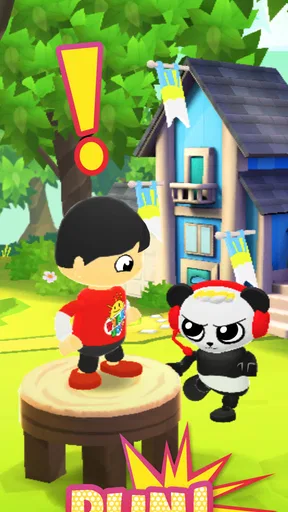
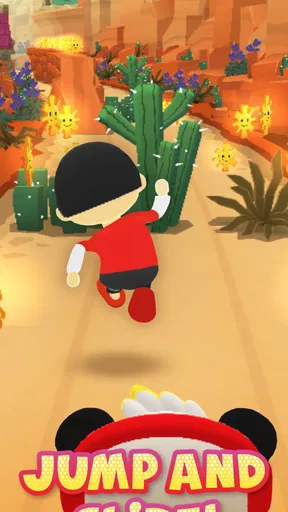

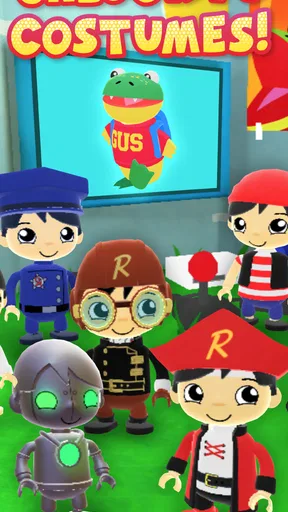
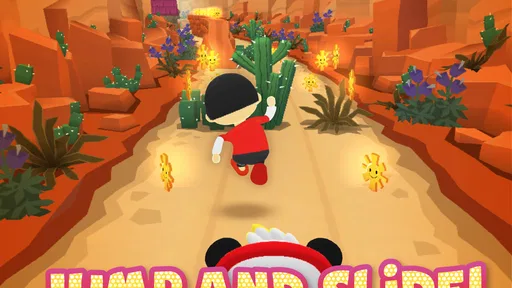

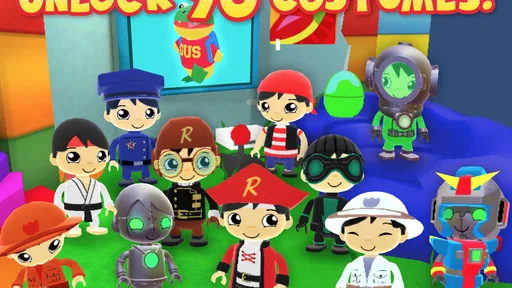
Our Review of Tag with Ryan
 Analysis by Appyee
I approached Tag with Ryan as a quick, child-friendly casual game rather than something designed for long, strategic sessions. Its basic appeal is easy to understand: you step into the role of Ryan from Ryan’s World and try to keep the action moving. That simplicity is useful when a child wants something immediately approachable, but it also means the game depends heavily on smooth setup, clear controls, and a device that can run it comfortably.
My overall impression is that this is best treated as a short-play title for fans of Ryan’s World. It is free to start, rated for Everyone, and made by WildWorks, so it sits naturally in the family-oriented part of the Android game catalog. The store shows an average of 3.8 from around 107 thousand ratings, with more than 10 million installs. Those figures suggest that the game has found a substantial audience, while the less-than-perfect average is also a useful reminder that familiarity with the character does not automatically guarantee a perfect experience on every phone.
Getting past the first points of friction
I’d use this section to make the first handoff smoother: prepare the device, open the game yourself, and let the player try the controls before expecting it to occupy them independently. That quick check can show whether the screen size and pace are comfortable, while also giving you a chance to settle purchase settings. Once those basics are out of the way, it is easier to tell a genuine game issue from a setup snag.
Why the opening experience matters
With a game this simple, the first few minutes carry a lot of weight. A child usually does not want to study instructions, adjust several settings, or troubleshoot a screen that does not respond as expected. The strongest use case is therefore a device that is already prepared: the game is installed, the phone has enough free space to operate normally, and the person playing can reach the main action without needing help at every step.
I would set it up before handing the device to a younger player. That small bit of preparation avoids the most common family frustration: a child assumes the game is broken when the real issue is that an installation is still completing, the device is busy, or a tap has not registered. It also gives an adult a chance to see whether the visual pace and control style suit the intended player.
The game’s casual design is a strength here. It does not present itself as a complicated role-playing adventure or a demanding competitive title. The central idea is recognizable, and that makes it suitable for a short break, a waiting room, or a few minutes of supervised play. Still, “easy to understand” should not be confused with “immune to technical problems.” A simple game can feel especially disappointing when loading or input goes wrong because there is not much else for the player to do.
Checks worth making before blaming the game
The current version is 1.37.0 and it requires Android 7.0 or later. That requirement is important for families using an older spare phone. If the device does not meet the minimum operating-system requirement, reinstalling the game will not solve the underlying compatibility problem. In that situation, a newer device is the more realistic answer, provided it is suitable for the child and has enough battery for ordinary play.
I also recommend checking the basics in a sensible order. Confirm that the operating system is supported, make sure the installation finished completely, restart the device, and try again with other demanding apps closed. These are ordinary steps, but they matter more on older hardware, where background activity can make a lightweight-looking game feel unresponsive.
A stable connection during installation or updates is another practical consideration. I would avoid repeatedly deleting and reinstalling the game as a first response. That can waste time and may not address the real cause. If the problem appears only during the initial download, checking the device’s connection and available storage is more useful than changing gameplay settings that are unrelated to installation.
Because the game is free, it is easy to assume that there is no financial decision involved. There is one: in-app purchases range from $0.99 to $49.99 per item. I would review the device’s purchase controls before giving it to a child, especially if the phone or tablet is shared. This is not a reason to reject the game, but it is a reason to treat the setup as a family decision rather than leaving the child to discover every option alone.
Making the first session more comfortable
For a younger player, the best first session is short and supervised. I would sit nearby, let the child try the controls, and watch whether the difficulty comes from the game itself or from the screen. A child who keeps tapping slightly outside the intended area may need a different grip or a larger device, not a different game. On the other hand, if the pace feels tiring or confusing after a few attempts, the character’s popularity may not be enough to make the experience enjoyable.
Screen brightness, sound level, and battery condition are also worth checking before play. These are not special requirements of this title, but they can change how a child perceives a fast, touch-focused game. A dim screen can make movement harder to follow, while low battery or aggressive power-saving behavior may make the device feel sluggish. A quick preparation routine prevents those ordinary device issues from being mistaken for a flaw in the game.
One useful habit is to keep the game in a dedicated place on the home screen during the first few sessions. That sounds minor, but it reduces accidental taps on unrelated apps and makes it easier for a child to return to the game without searching. If several children share the device, agreeing on when and where it can be played is more effective than trying to solve every disagreement through the game itself.
Recovering a session when something goes wrong
If a session breaks off, I’d resist the urge to reset everything at once. A brief wait, a full close and relaunch, then a device restart gives you a sensible progression without immediately risking locally saved information. The pattern matters too: checking whether other apps and touch controls behave normally can point toward the phone rather than the game, and helps choose the next step with less guesswork.
A calm order for troubleshooting
When the game stops responding, I would begin with the least disruptive fix: wait briefly, leave the current screen if possible, and reopen the game. If that does not help, close it fully and launch it again. A device restart comes next. This sequence is preferable to immediately clearing application data or uninstalling, because stronger actions can remove local progress or settings depending on how the game handles them.
If the issue returns, I would compare it with the rest of the device. Do other games open normally? Are taps working in menus and other apps? Does the problem happen every time or only after the device has been running for a long period? These questions help separate a game-specific problem from a broader phone issue. If several apps are slow, the sensible next step is to reduce background load and check the device’s general condition.
For installation trouble, I would verify the Android version first, then check storage and the connection, and only afterward attempt another installation. For an update that seems stuck, restarting the device and trying again later is less risky than repeatedly interrupting the process. If the store cannot complete the installation while other downloads also fail, the store service or device connection is a more likely source than this particular game.
What to avoid during recovery
I would be cautious with clearing data. It can be tempting because it feels like a complete reset, but it may also erase local information. The same caution applies to uninstalling. If a child has made progress, losing it can create a bigger problem than the original loading error. A restart, a clean relaunch, and a check of system conditions should come first.
I would also avoid installing unofficial copies or “fix” tools that promise faster performance. They add uncertainty without addressing ordinary causes such as an unsupported operating system, limited storage, or unstable connectivity. With a children’s game, keeping the installation simple and official is particularly important.
If the game opens but the child says the controls do not work, I would first check whether the issue is actually touch input. Try another app, rotate the device only if the device normally supports that behavior, and remove anything covering the screen. A thick protector, moisture, or a damaged touch area can affect one part of the display. If the same spot fails outside the game, reinstalling the game is unlikely to help.
Separating game problems from device problems
Performance complaints need a little context. A phone that handles basic messaging well may still struggle with games, particularly when storage is nearly full or several processes are active. I would test the game after a restart and compare the result with the device’s normal behavior. If it improves temporarily and then slows again, the phone may be under general strain rather than the game being permanently defective.
Battery-saving modes can also change the feel of play. If the game becomes less responsive only when the battery is low or a power-saving setting is active, that pattern points toward the device’s power management. The practical solution is to charge the device and use its normal mode when appropriate, rather than assuming the title needs to be replaced.
Sound problems deserve the same approach. Check the device volume, silent mode, connected headphones, and whether other apps produce audio. A child may describe the game as “not working” when only the sound has disappeared. Testing the phone outside the game gives a clearer answer and avoids unnecessary changes to the installation.
How I would fit it into everyday use
I’d keep this as one ready-to-go option for short waits, not as a promise of uninterrupted entertainment for a long stretch. A prepared device and an adult nearby make it easier to handle confusing screens or purchase choices, while a second activity gives the child somewhere to turn if the focused Ryan’s World theme stops holding attention. That routine suits the game’s casual, character-led appeal without asking it to be more than it is.
A realistic family scenario
Imagine a child waiting while a parent finishes an appointment. I would hand over a prepared device with the game already installed, the purchase settings reviewed, and the battery comfortably charged. The child can try a short session, while the adult remains available if the controls or a loading screen cause confusion. This is where the title makes the most sense: it offers a recognizable character and a compact casual activity without asking the family to commit to a long play session.
I would not use it as a guaranteed distraction for a very long journey without testing it first. A game that works well for several minutes may still become repetitive for a child who expects constant new content. The best plan is to regard it as one option in a small collection of age-appropriate activities, rather than the only thing available.
Who is likely to enjoy it
The clearest audience is a young Ryan’s World fan who likes quick touch-based games and does not need complex progression to stay interested. It can also suit a parent looking for a free starting point before deciding whether a child actually enjoys this style of play. The Everyone rating makes it easier to consider in a family setting, although an adult should still guide purchases and decide whether the pace suits the individual child.
The game is less convincing for someone who wants deep strategy, a large story, extensive customization, or a long-term challenge. It is also not the right choice for a player who dislikes branded character games. The Ryan connection is central to its appeal; without that interest, the basic activity may feel too narrow compared with broader casual alternatives.
How it compares with familiar casual alternatives
Compared with a puzzle game, this title is more dependent on the appeal of its character and on quick reactions than on solving a board or planning several moves ahead. Compared with an endless runner, it may feel more immediately familiar to a child who already knows Ryan’s World, but it is not automatically the better choice for someone seeking a repeatable skill challenge. A general casual game can offer more variety, while this one offers a more focused identity.
That trade-off is useful when choosing for a specific child. If the child asks for Ryan specifically, the familiar theme can make the first session easier to start. If the child simply wants “a fun game,” I would compare it with a few non-branded casual titles and see which one holds attention without requiring purchases. The free entry point helps, but the presence of optional items means it should not be treated as a completely cost-free environment.
My practical verdict after using it
WildWorks has made a straightforward casual game that works best when the expectations are equally straightforward. I like it as a short, accessible option for a Ryan’s World fan, especially when an adult handles setup and keeps an eye on the device’s purchase controls. The large audience and more than 10 million installs show that it is easy to find and widely used, but the 3.8 average also supports a measured recommendation rather than an automatic one.
The most important advice is to prepare the device before judging the game. Check that Android 7.0 or later is installed, confirm that the download completed, leave some breathing room for normal device operation, and test touch input outside the game if controls seem unreliable. If the problem affects several apps, focus on the phone or tablet first. If it appears only here after those checks, then deciding whether the game itself suits the player becomes more reasonable.
I would recommend trying it when the intended player already enjoys Ryan’s World and wants a quick activity at no initial cost. I would skip it when the goal is deep gameplay, a broad puzzle collection, or a completely hands-off experience for a child. The best reason to install it is the match between the character and the player, not the promise of a universal casual game. With that expectation, sensible setup, and supervised handling of purchases, it is a reasonable family download rather than a title I would recommend blindly to everyone.
Verdict
Strengths of Tag with Ryan
- Simple tap-based gameplay is easy for young children to understand.
- Bright Ryan-themed visuals make the app appealing to fans of the character.
- Short play sessions suit quick entertainment on phones and tablets.
- The tag format encourages children to react quickly and stay engaged.
- Familiar characters can make the experience welcoming for younger players.
Limitations of Tag with Ryan
- Gameplay may feel repetitive after several rounds.
- Limited challenge can reduce its appeal for older children.
- Requires careful supervision if played by very young users.
- Performance may vary on older or less powerful devices.
- Fans unfamiliar with Ryan may find the theme less engaging.
Other Releases by WildWorks
View All
Animal Jam
Educational4.1
Similar Picks in This Category
View All
My Talking Angela
Outfit7 Limited4.2

My Talking Tom
Outfit7 Limited4.3

Pou
Zakeh4.2

My Talking Tom 2: Pet Game
Outfit7 Limited4.3

Candy Crush Saga
King4.6

Bridge Race
Supersonic Studios LTD4.1
Frequently Asked Questions
What is Tag with Ryan, and how does the game work?
Tag with Ryan is a colorful endless-running game based on the Ryan’s World entertainment brand. You guide Ryan through obstacle-filled levels, collect coins and special items, avoid hazards, and try to achieve the highest score possible. The controls are designed for mobile devices, usually relying on simple swipes and taps, making the basic gameplay easy for children to understand while still offering challenges for repeated play.
Is Tag with Ryan suitable for children?
The game is primarily aimed at younger players and uses bright visuals, familiar characters, and straightforward controls. However, parents should still review the game’s age rating and available settings before allowing a child to play. Depending on the version and device, the app may include advertisements, optional purchases, or links to external content, so parental supervision and appropriate purchase restrictions are recommended.
Does Tag with Ryan require an internet connection?
Tag with Ryan may be playable without a constant internet connection, particularly for its main running gameplay, but some features can depend on online access. Advertisements, updates, analytics, promotional content, or certain in-app functions may not work offline. Requirements can also change between Android and iOS versions, so it is best to check the store listing and test the game after installation if offline play is important.
Are there in-app purchases or advertisements in Tag with Ryan?
The availability of advertisements and in-app purchases can vary according to the platform, region, and version of Tag with Ryan. Players may encounter optional paid content, promotional offers, or advertising during the experience. Before downloading, parents should examine the Google Play or App Store information and enable device-level purchase controls. This is especially useful when children will be playing independently on a shared phone or tablet.
What devices are compatible with Tag with Ryan?
Tag with Ryan is designed for Android and iOS mobile devices, but compatibility depends on the operating system version, available storage, and hardware performance. Older phones and tablets may experience slower loading, reduced visual quality, or occasional performance issues. Before installing, check the official store page for the current minimum requirements, keep enough free storage available, and install updates to improve stability and access the latest content.
Play our best games!


